Fast and Stable Home Network with WiFi 5 Solutions
Routers and adapters based on WiFi 5 technology are ideal for those who want a fast, stable wireless internet connection for home or small office use. These devices offer greater bandwidth, lower latency, and more reliable connections than older standards.
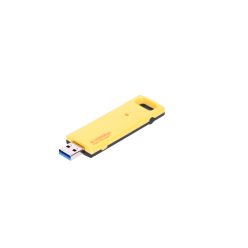
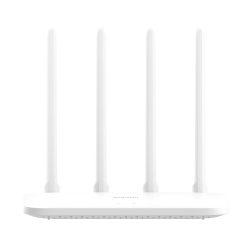
Our selection includes multi-antenna routers equipped with gigabit LAN ports, as well as USB AC1200 adapters, such as the Extralink U1200ac and the Xiaomi AC1200 router. This way, you can easily set up your own high-speed wireless network.
- Home and office WiFi 5 routers with multiple LAN ports
- USB dual-band AC1200 WiFi adapters for laptops and PCs
- Reliable solutions for HD/4K streaming and online gaming
- Easy to install, user-friendly interface devices
WiFi 5 Technology: Greater Speed, More Stable Wireless Connection
The WiFi 5 (802.11ac) standard offers significant advancements over previous generations, especially when serving multiple devices simultaneously. Thanks to dual-band (2.4 GHz and 5 GHz) operation, the network is less congested and provides optimal distribution for browsing, streaming, and online gaming. An AC1200 device, such as the Extralink U1200ac adapter or the Xiaomi AC1200 wireless router, already delivers serious performance for a modern household.
In terms of applications, WiFi 5 routers are excellent for Full HD or even 4K video streaming, cloud services, video calls, and multiplayer online gaming. The dual-band operation allows high-bandwidth devices to be directed to the 5 GHz band, while devices used for general browsing can be directed to the 2.4 GHz band.
Considerations When Choosing a WiFi 5 Router or Adapter
Before purchasing, it is worth considering the size of your home or office environment, the number of devices, and the speed of your internet subscription. A model with gigabit ports, such as the Xiaomi AC1200 router with its 1000 Mb/s connections, makes full use of high-speed wired connections and provides optimal transfer speeds within the local network.
- Speed and Standard: AC1200 designation, dual-band operation, 802.11ac support.
- LAN Ports: How many RJ45 ports are available and what speeds are they (e.g., 1000 Mb/s).
- Range and Antennas: Number of external antennas, their power, size of the apartment.
- Security Features: WPA2/WPA3 encryption, guest network, parental controls.
- Extra Features: QoS (traffic prioritization), easy mobile app setup.
If you want to connect a desktop computer or an older laptop to the wireless network, a USB AC1200 adapter, such as the Extralink U1200ac, offers a fast and cost-effective solution. It requires no complicated installation: just connect it to the USB port, install the driver, and you can enjoy the high-speed WiFi 5 connection.
For optimal performance, it is advisable to place the router at the central point of the apartment, away from obstacles, and to expand the system with additional access points or signal boosters if necessary. This way, the WiFi 5-based network will provide stable, fast access in every room.